Introducing Dreamflow Enterprise

Visual AI builder for production mobile apps

Build apps like you're from the future

Canvas↔ Code,seamlessly synced

Agentic, Visual, Code. No install, no lock-in, production-ready workflows.
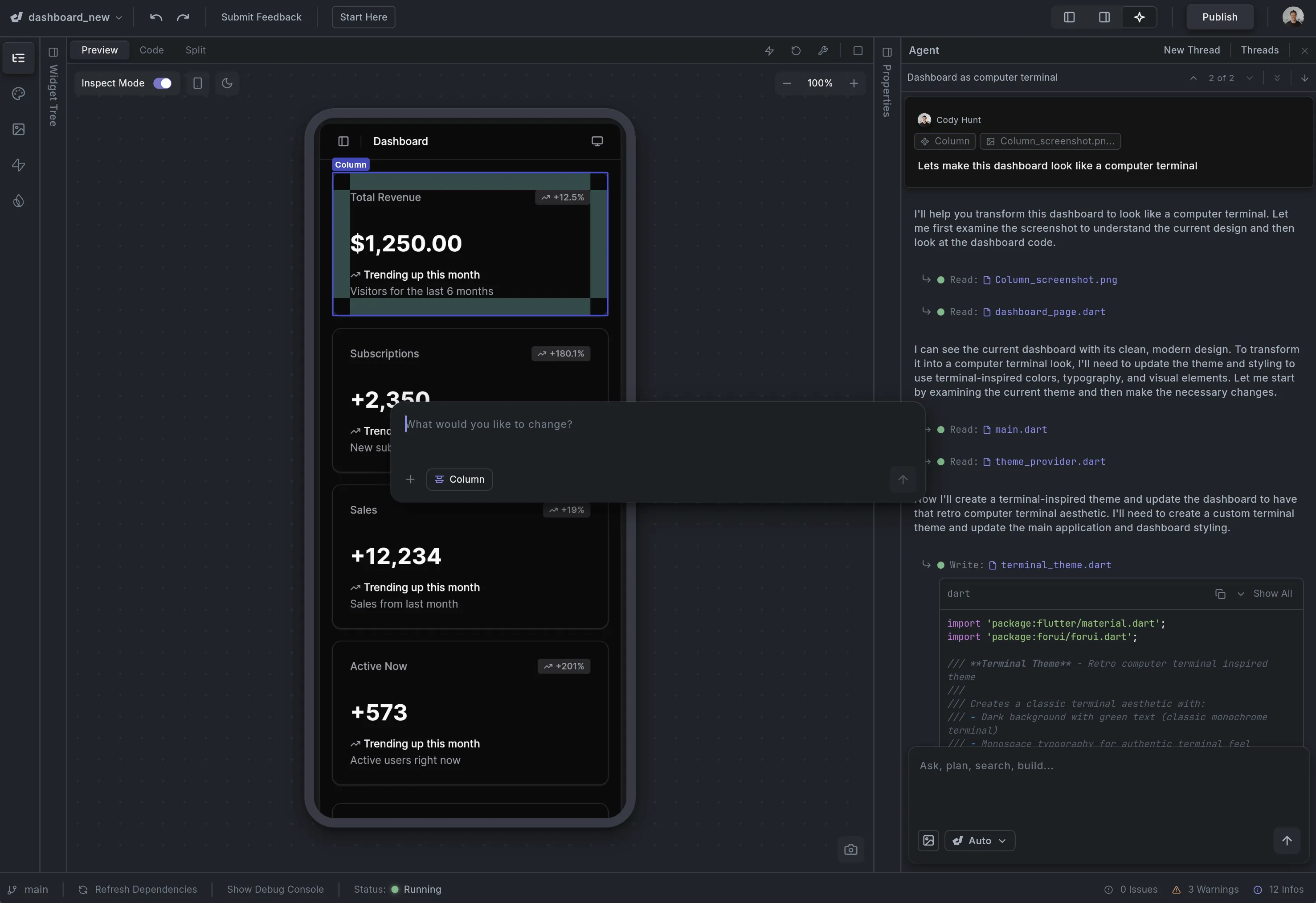
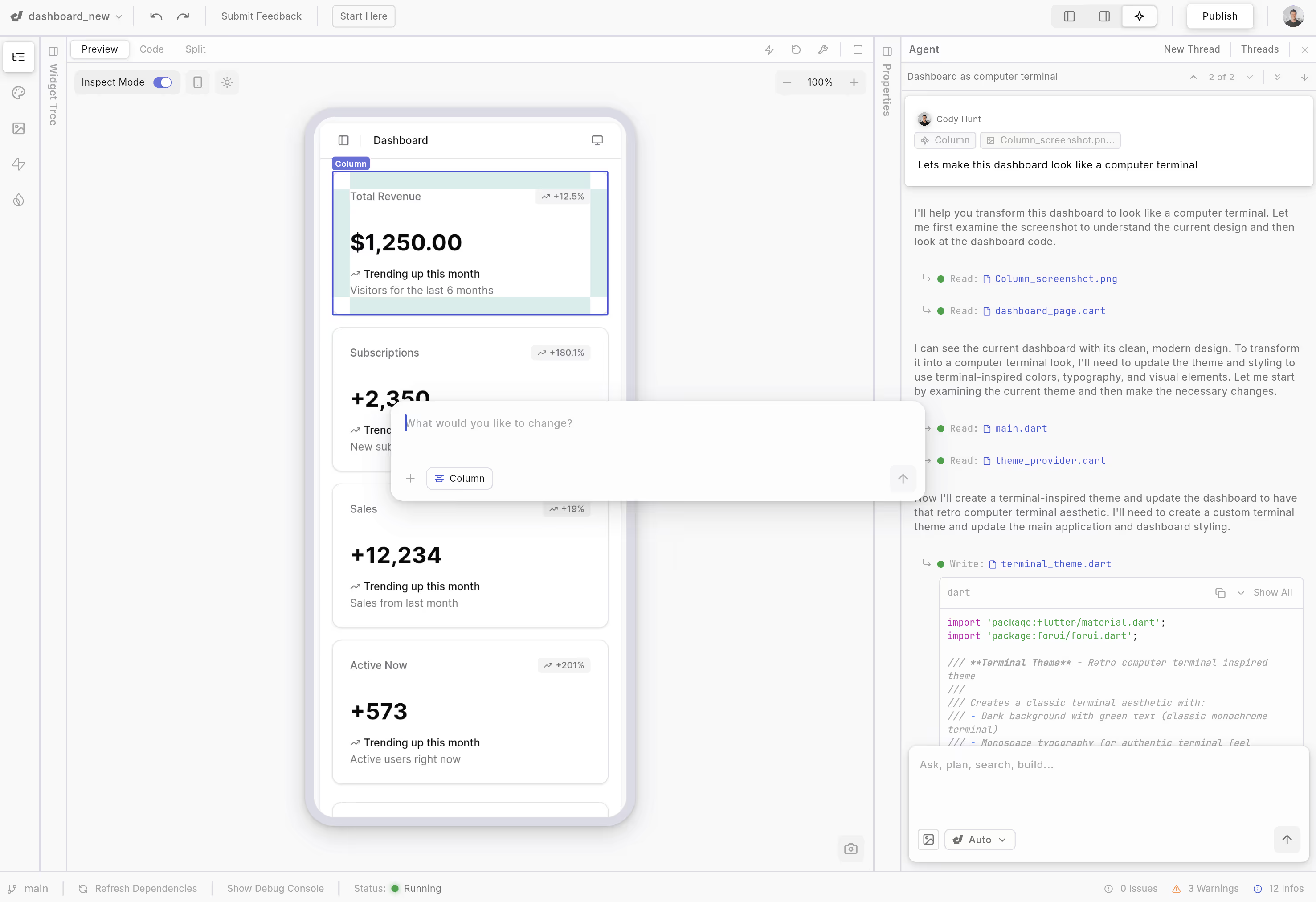
Dark mode dashboard preview on a mobile device showing Total Revenue, Subscriptions, Sales, and Active Now metrics with trends, alongside code editor and chat interface for transforming the dashboard style.Screenshot of a dashboard builder interface showing a mobile dashboard preview with widgets for Total Revenue $1,250, Subscriptions +2,350, Sales +12,234, and Active Now +573, with some code and chat interface on the right side.
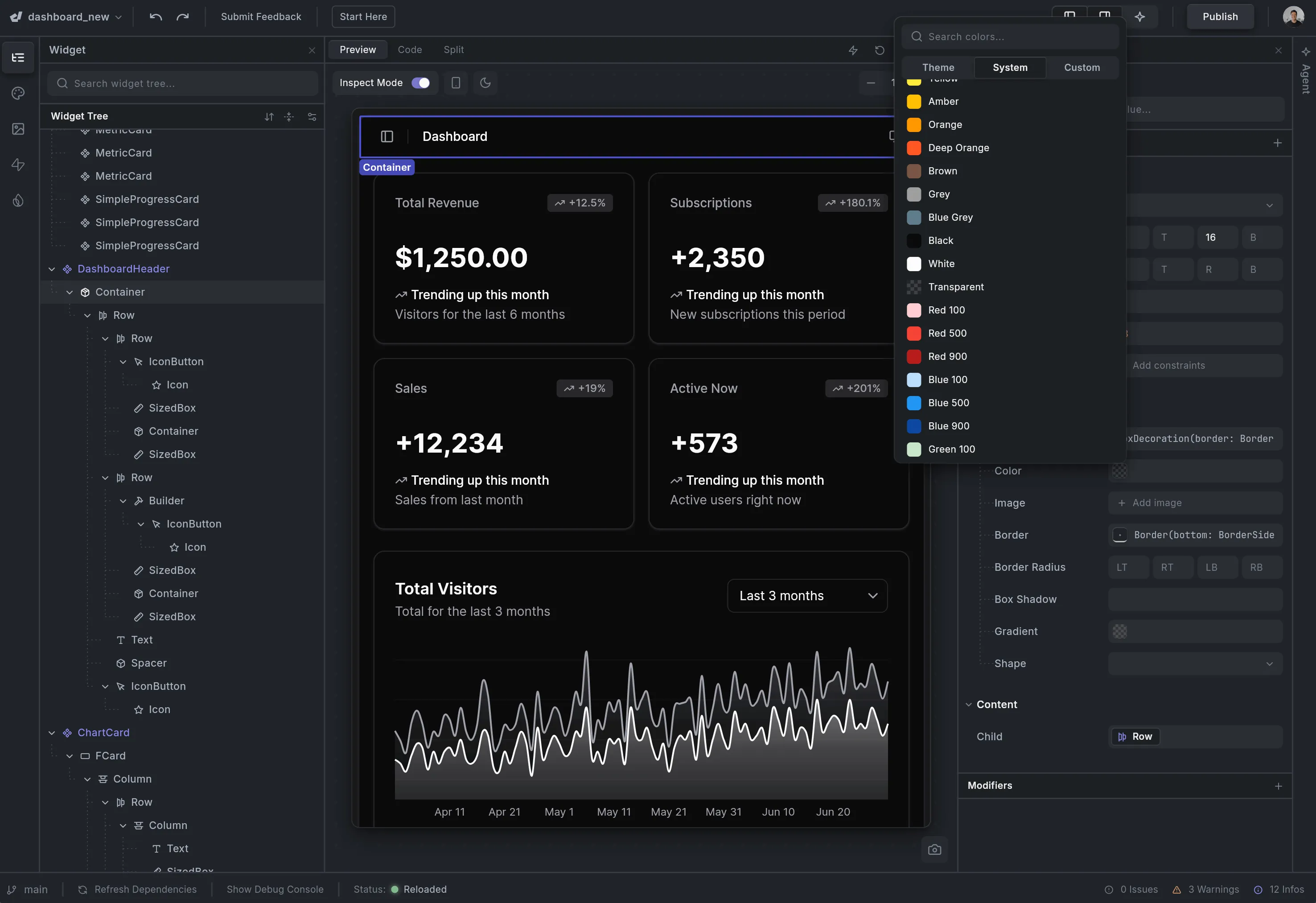
Dark-themed dashboard interface showing total revenue, subscriptions, sales, active users, and a line graph of total visitors over three months.Dashboard interface showing total revenue, subscriptions, sales, active users, and a line graph of total visitors over the last three months.
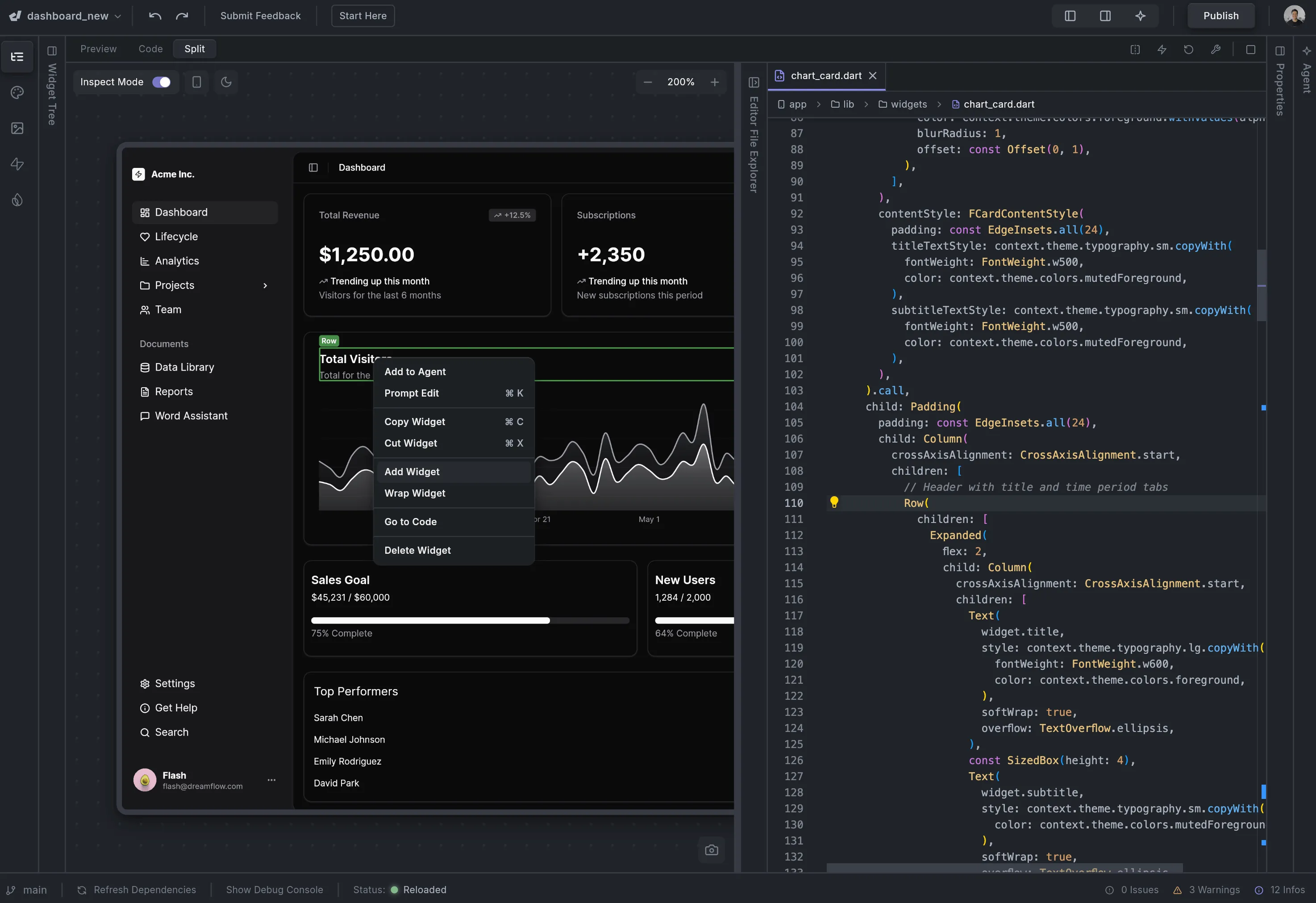
Screenshot of a dark-themed dashboard UI on the left showing sales, revenue, subscriptions, and user stats, while on the right there is code editing in Dart for a chart card widget.Split-screen view of a code editor showing Flutter UI code on the right and a dashboard app preview on the left with charts and widgets, including revenue, subscriptions, sales goal, and top performers.
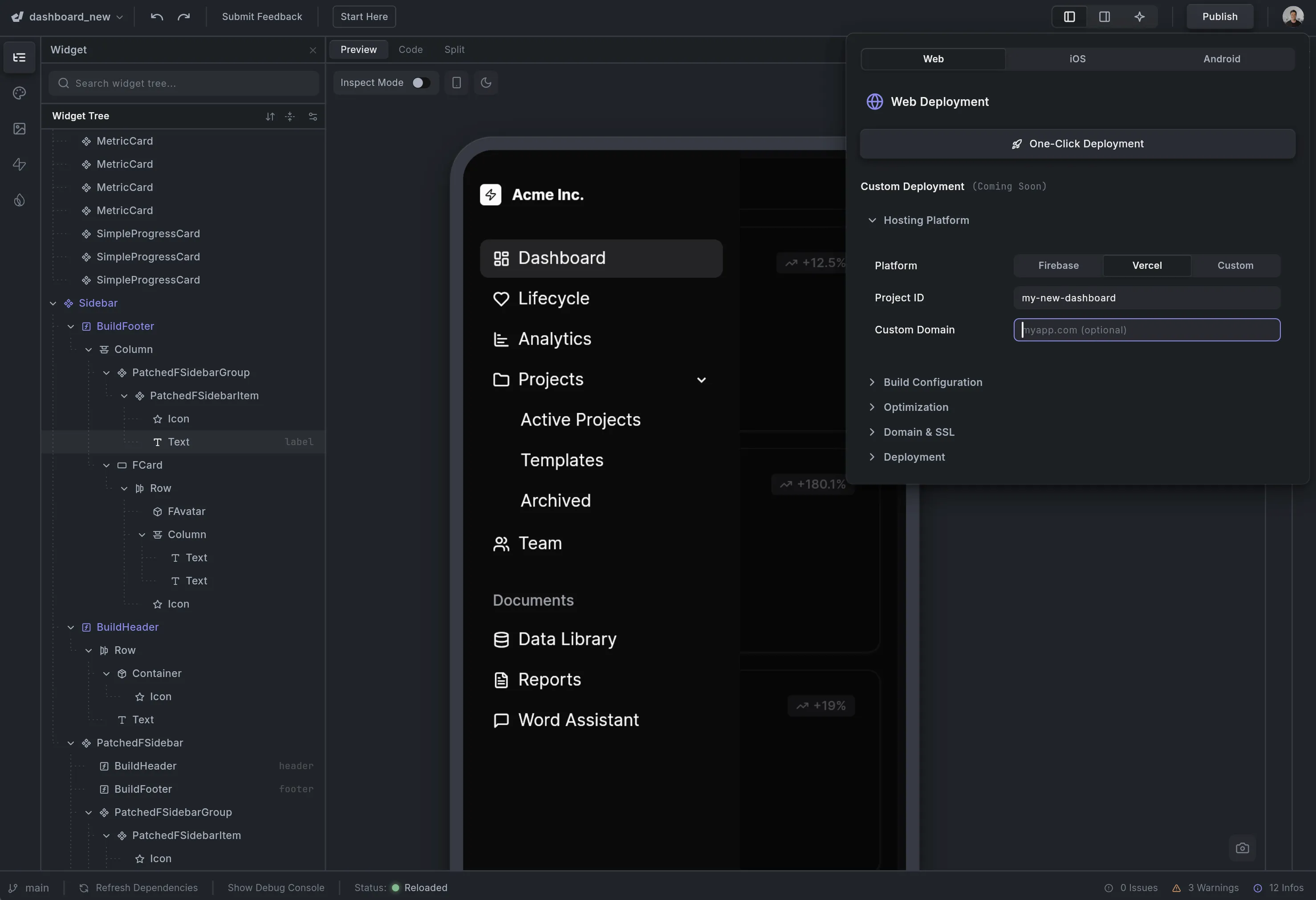
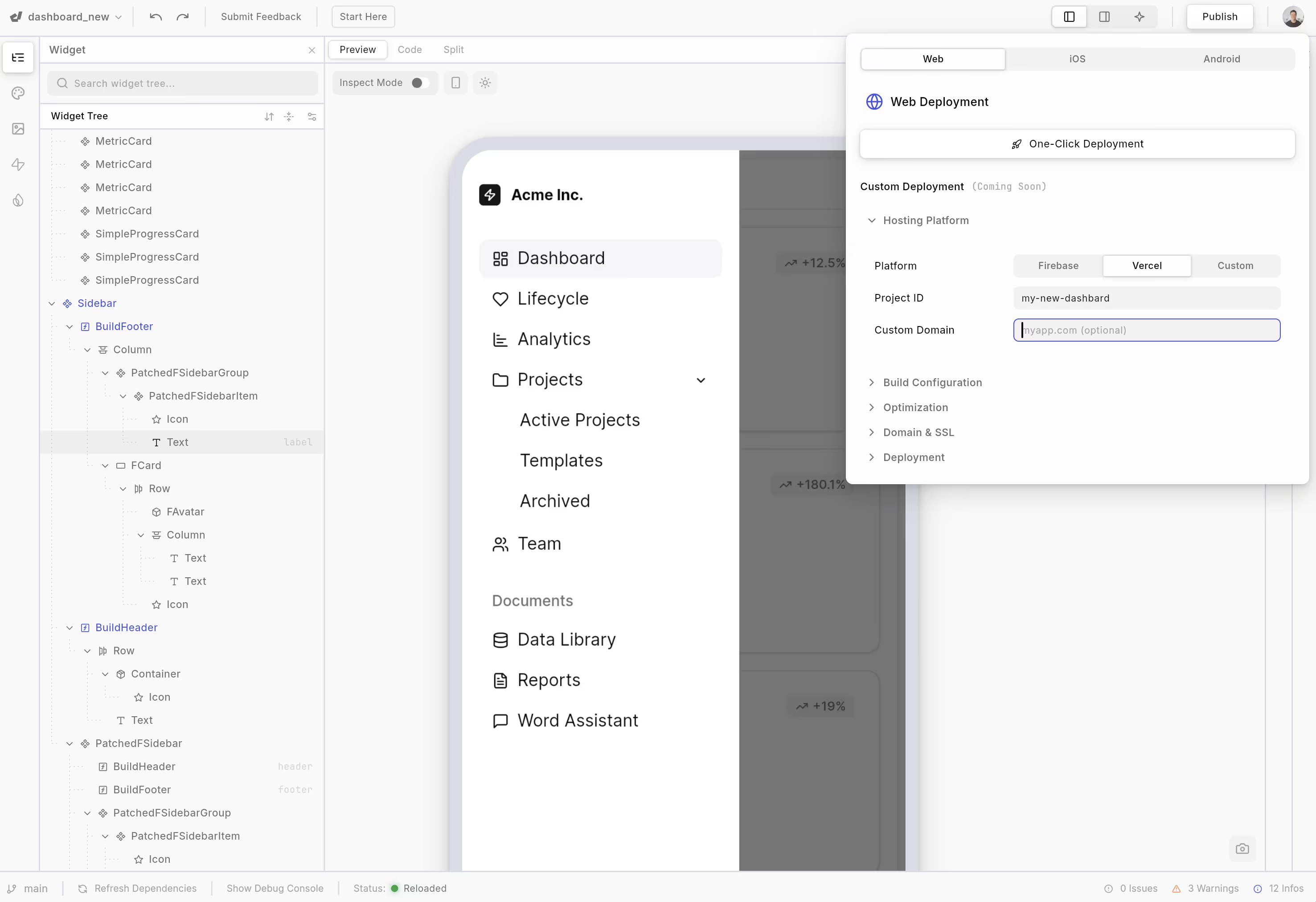
Dark-themed software development dashboard showing widget tree on left, sidebar menu with sections like Dashboard, Lifecycle, Analytics, Projects, Team, and documents, and a web deployment configuration panel for platform selection and project setup.Dashboard UI with sidebar showing menu options like Dashboard, Lifecycle, Analytics, Projects, Team, and documents with deployment settings overlay panel for Web, iOS, and Android.

From the team behind FlutterFlow

Trusted by 2M+ builders

Features

The Fastest Way to Build Real Apps

AI speed, visual clarity, and code-level control in one seamless platform

Tri-Surface Editing

Agentic ↔ Visual ↔ Code. Switch seamlessly between AI prompts, visual canvas, and code — everything stays in sync.
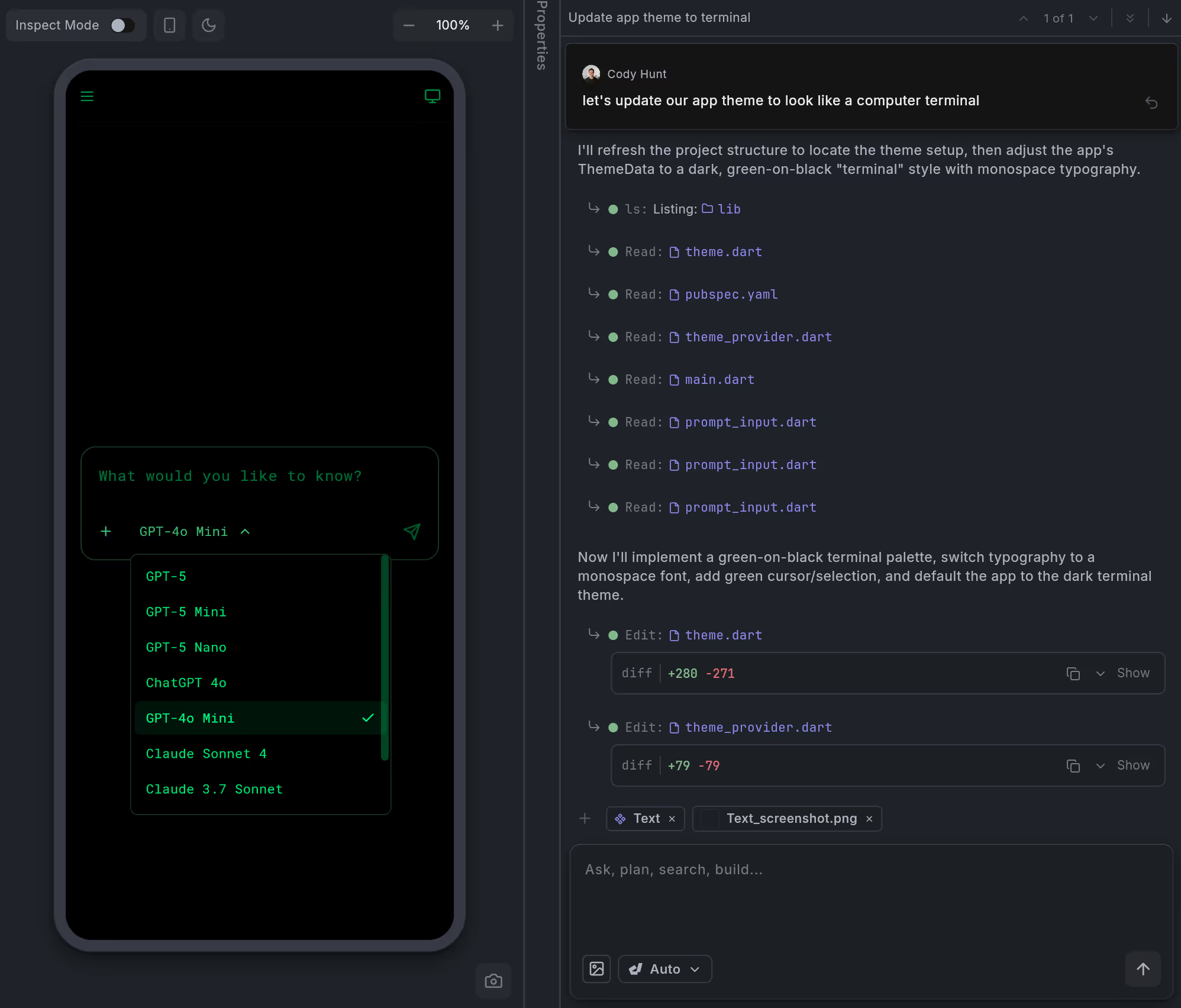
Mobile app interface with a dark green-on-black terminal theme showing a dropdown menu to select AI models like GPT-5 and Claude Sonnet.Mobile app interface showing a dropdown menu to select AI models including GPT-5, ChatGPT 4o, and GPT-4o Mini with GPT-4o Mini currently selected.
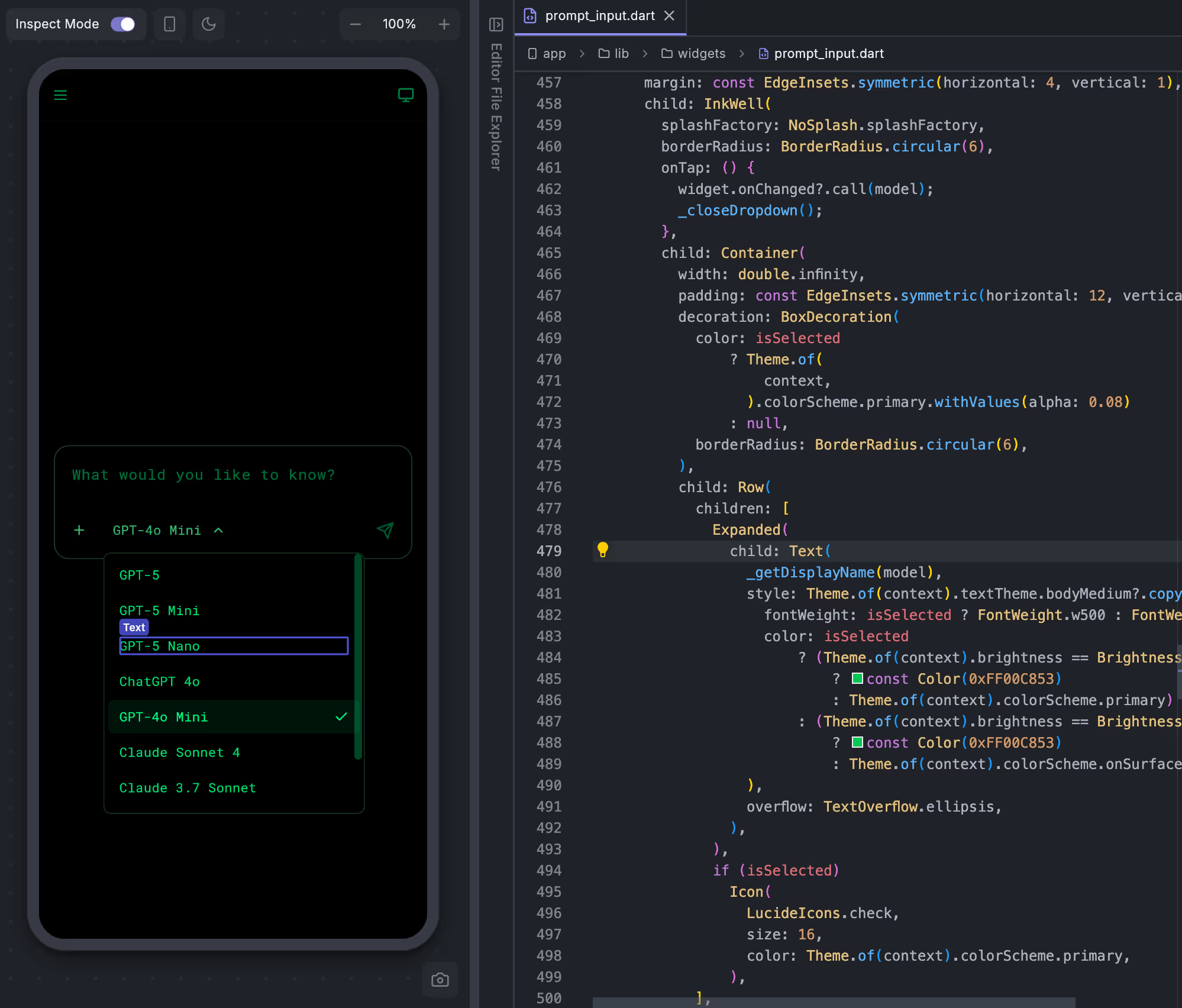
Dark-themed UI showing a mobile device with a dropdown menu listing AI models including GPT-5, GPT-5 Mini, GPT-5 Nano, GPT-4o Mini selected, ChatGPT 4o, Claude Sonnet 4, and Claude 3.7 Sonnet, alongside a color picker with green shades.Mobile app interface with a text input asking 'What would you like to know?' and a dropdown menu showing AI model options including GPT-5, GPT-5 Mini, GPT-5 Nano, ChatGPT 4o, GPT-4o Mini, Claude Sonnet 4, and Claude 3.7 Sonnet, alongside a UI for text styling and color selection with green tones highlighted.
Mobile app interface showing a dark-themed dropdown menu to select AI models like GPT-5, GPT-4o Mini, and Claude Sonnet, alongside Dart code in an editor on the right.Mobile screen with a dropdown menu showing AI model options including GPT-5, GPT-5 Mini, GPT-5 Nano, ChatGPT 4o, GPT-4o Mini (selected), Claude Sonnet 4, and Claude 3.7 Sonnet.

AI-Powered

Context aware generation. Smart AI that anderstands patterns and best practices to scaffold features the right way.

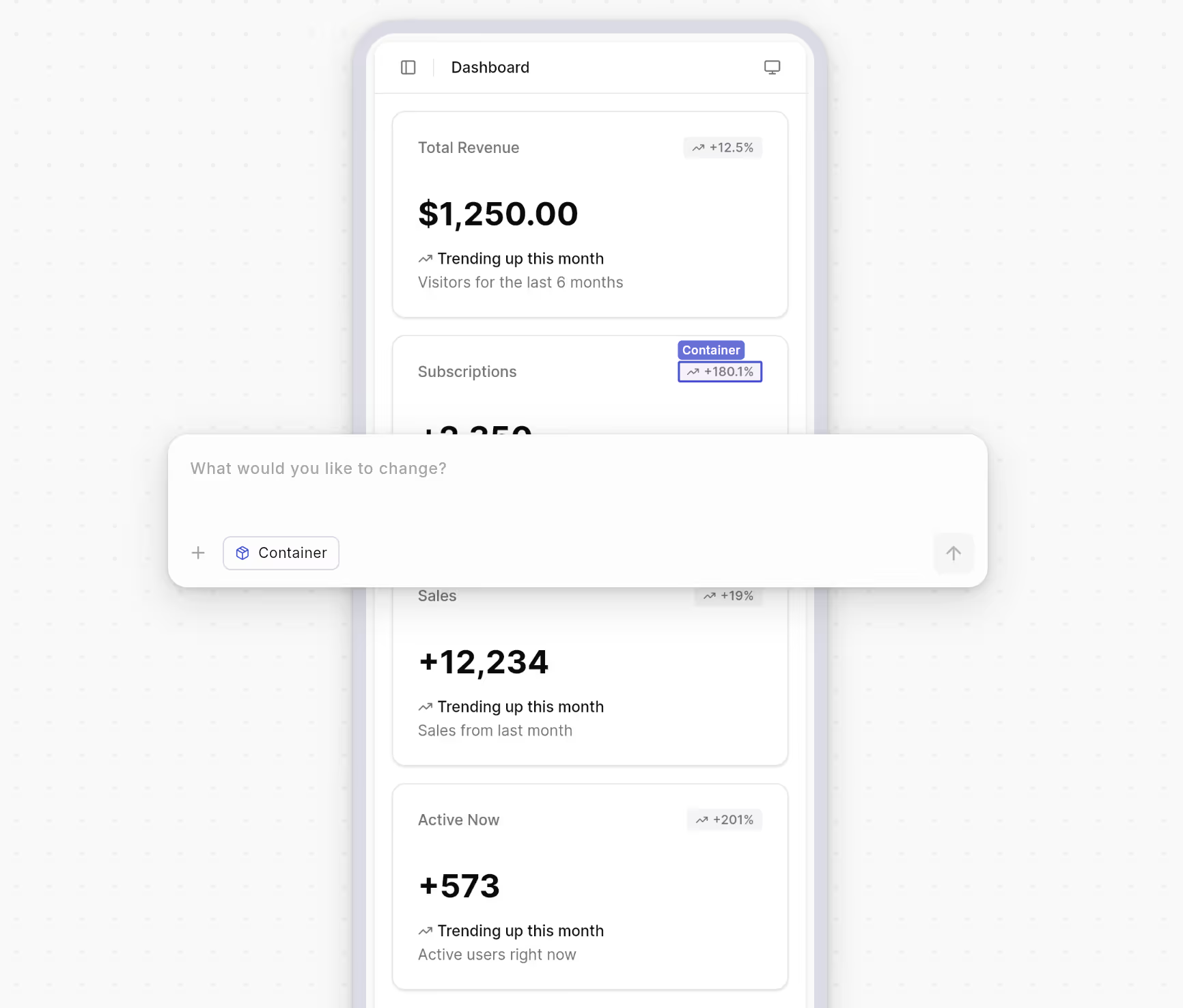
Mobile dashboard showing metrics: Total Revenue $1,250 trending up 12.5%, Subscriptions 1,350 up 180.1%, Sales 12,234 up 19%, Active Now 573 up 201%, with an overlay input box asking 'What would you like to change?'Mobile dashboard showing metrics: Total Revenue $1,250.00 up 12.5%, Subscriptions +3,250 up 180.1%, Sales +12,234 up 19%, Active Now +573 up 201%, with an overlay prompt asking 'What would you like to change?'
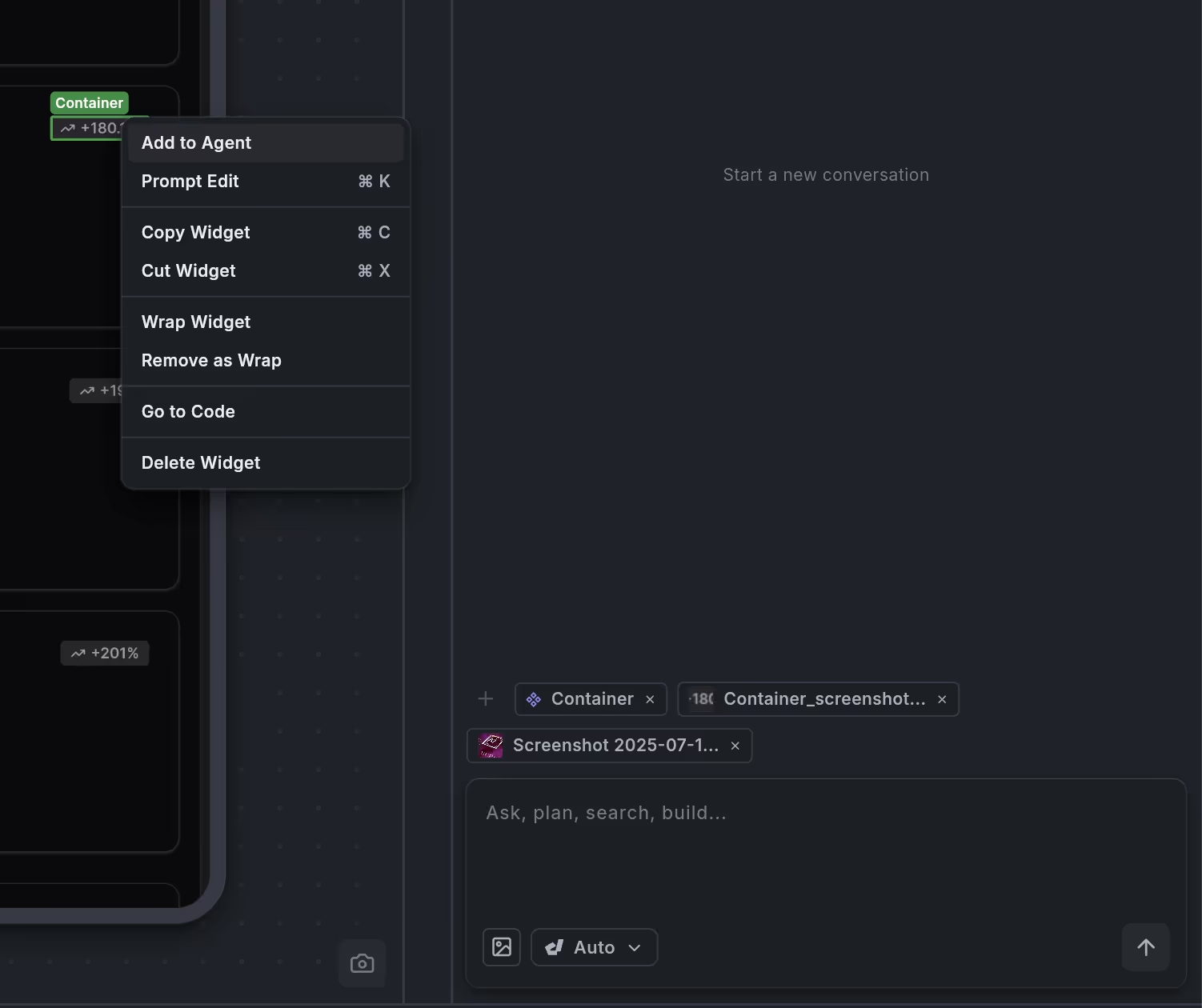
Dark mode user interface showing a widget editing menu with options like Add to Agent, Prompt Edit, Copy Widget, Cut Widget, Wrap Widget, Remove as Wrap, Go to Code, and Delete Widget.Context menu with options: Add to Agent, Prompt Edit, Copy Widget, Cut Widget, Wrap Widget, Remove as Wrap, Go to Code, Delete Widget on a UI panel.
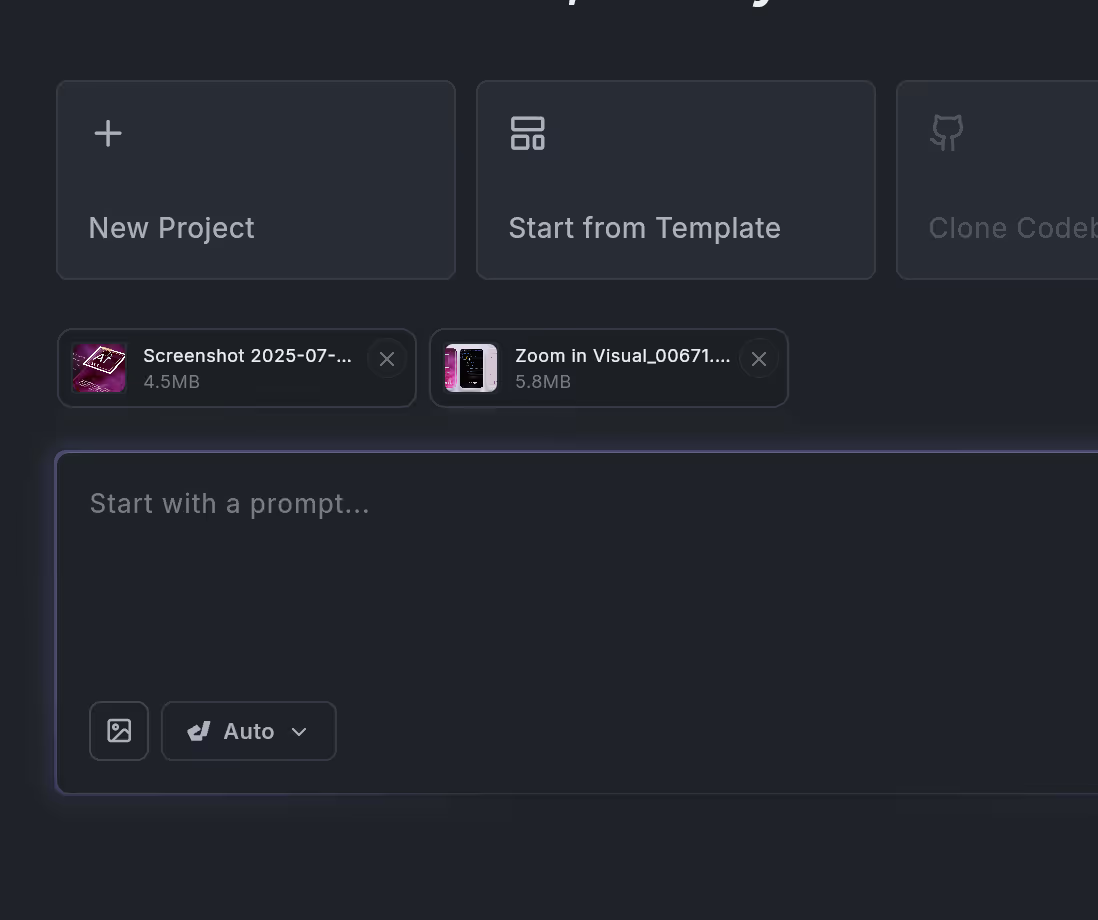
User interface showing options for 'New Project' and 'Start from Template' with two uploaded files and a prompt input box labeled 'Start with a prompt...'.User interface with options for New Project, Start from Template, file thumbnails for two images, and a prompt input box with image upload and auto settings.

Build for any screen

Build robust, responsive apps that fit every device size, powered by Flutter. Deploy to App Store, Play Store & Web with a few clicks.
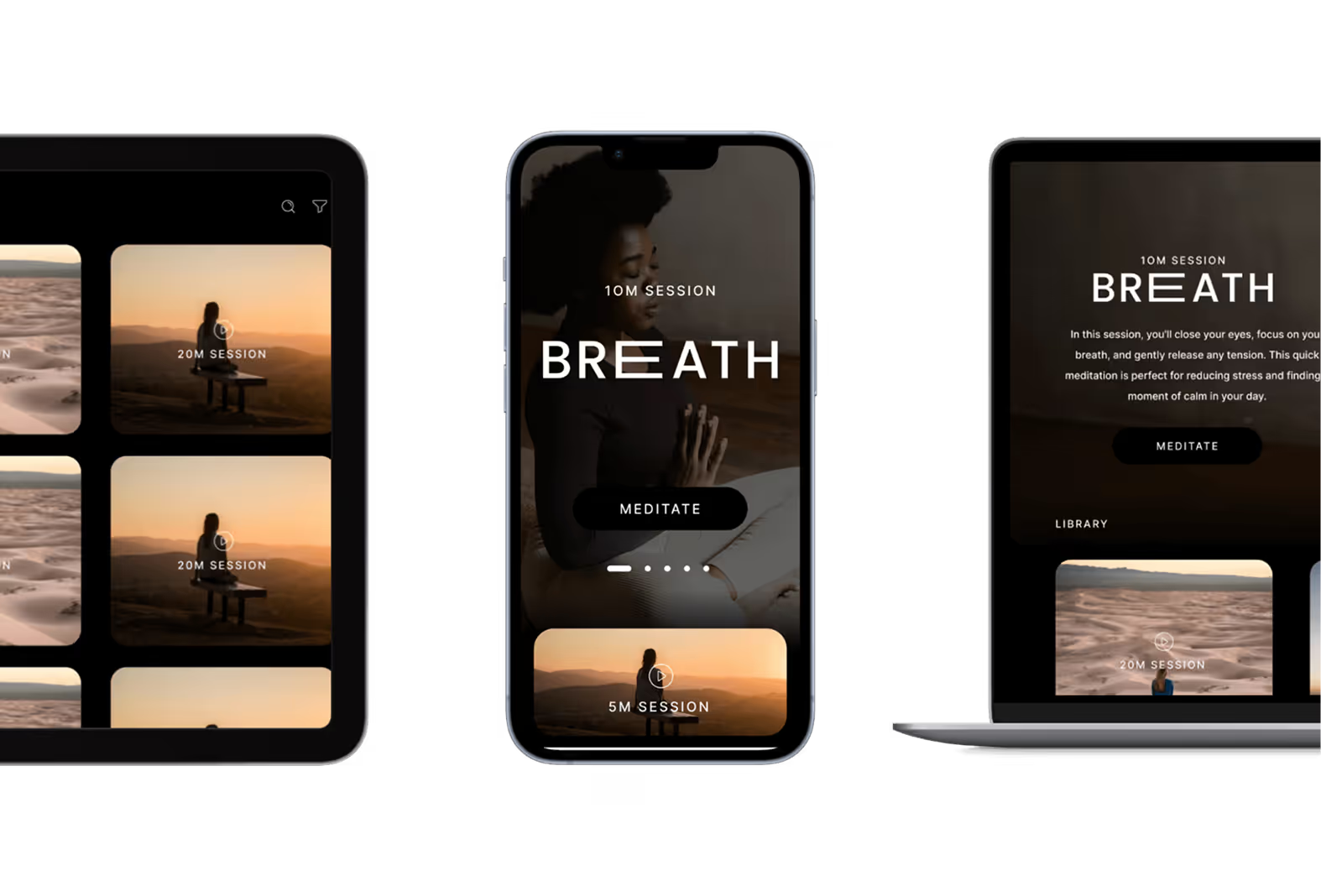
Tablet, smartphone, and laptop displaying a meditation app with sessions titled 'BREATH' for 10 minutes and 20 minutes.

Backend Integrations

Firebase or Supabase integration out of the box. Build full-stack apps that scale from day one.
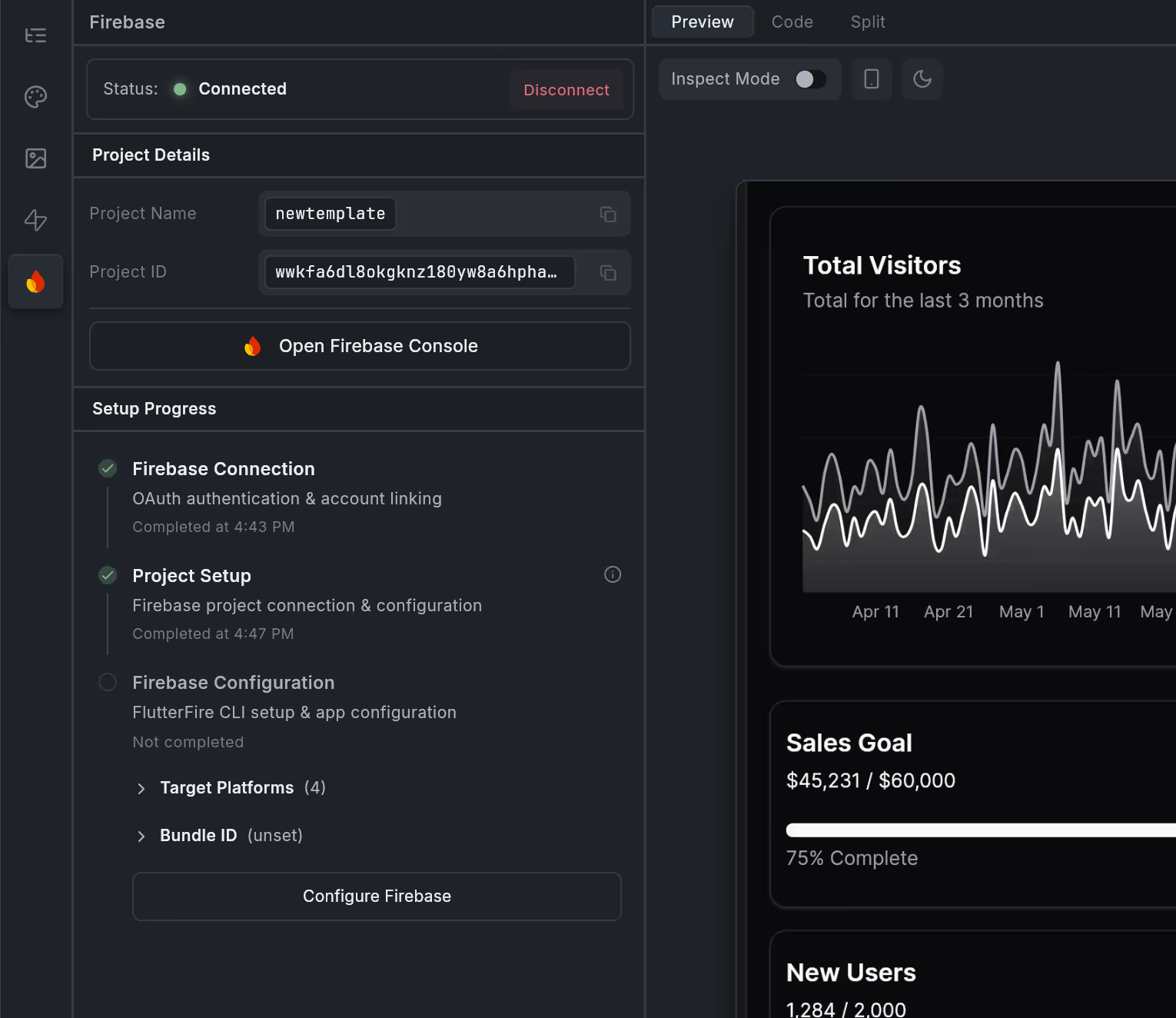
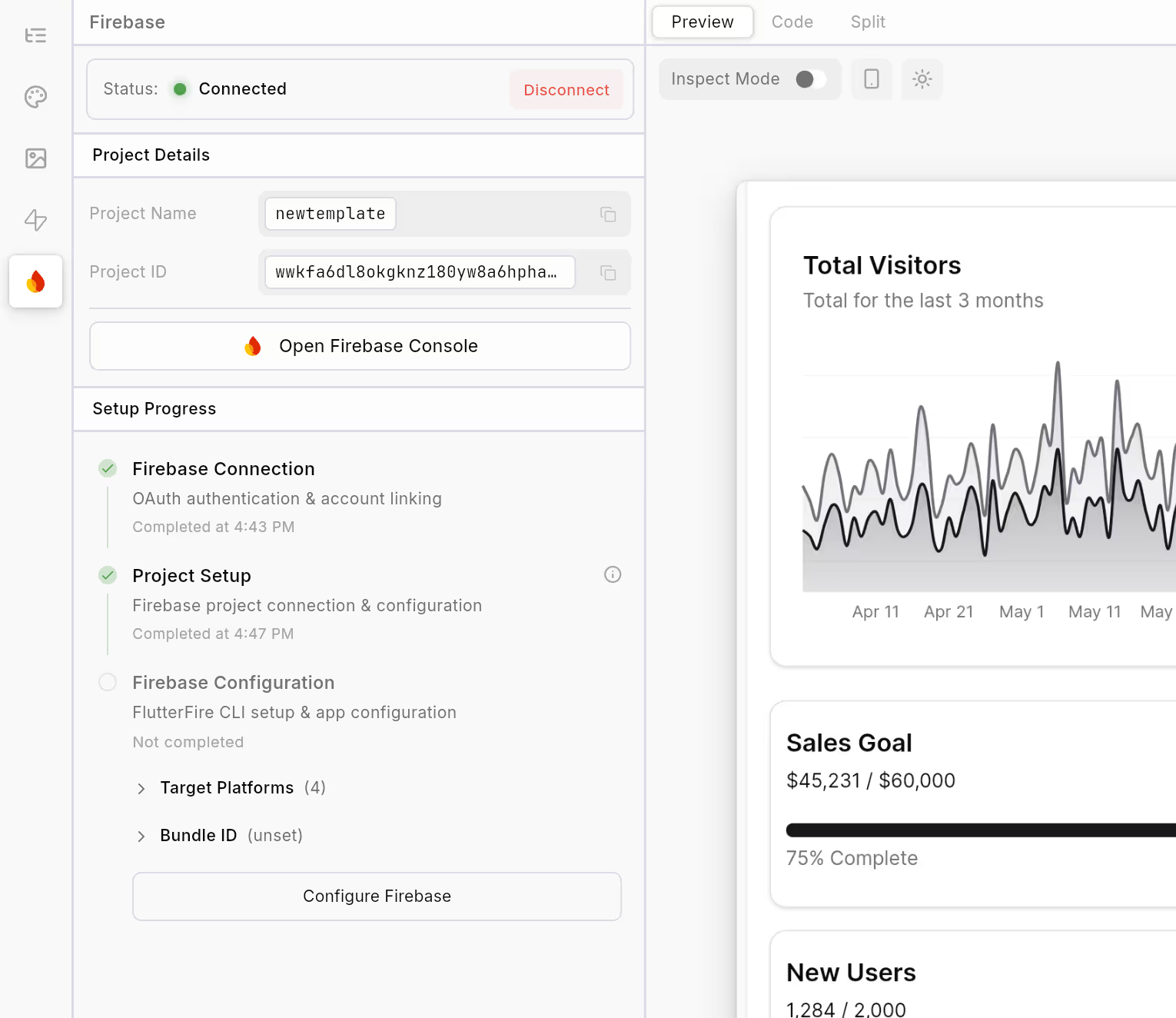
Firebase project setup interface showing project name 'newtemplate', project ID, connection status as connected, setup progress with completed Firebase Connection and Project Setup, and incomplete Firebase Configuration.Firebase project setup interface showing a connected status, project details, setup progress, and partial analytics including total visitors graph, sales goal progress at 75%, and new users count.
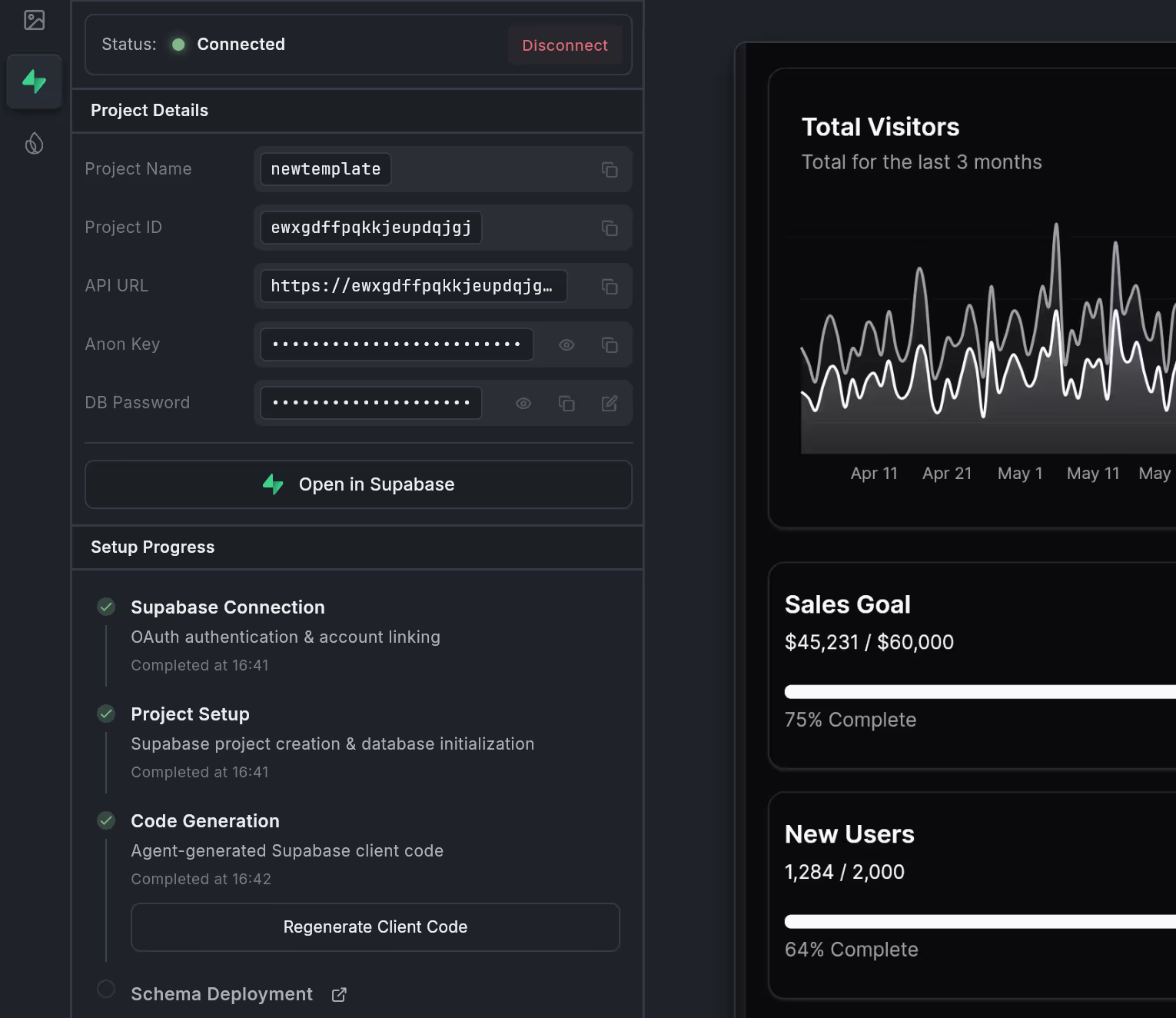
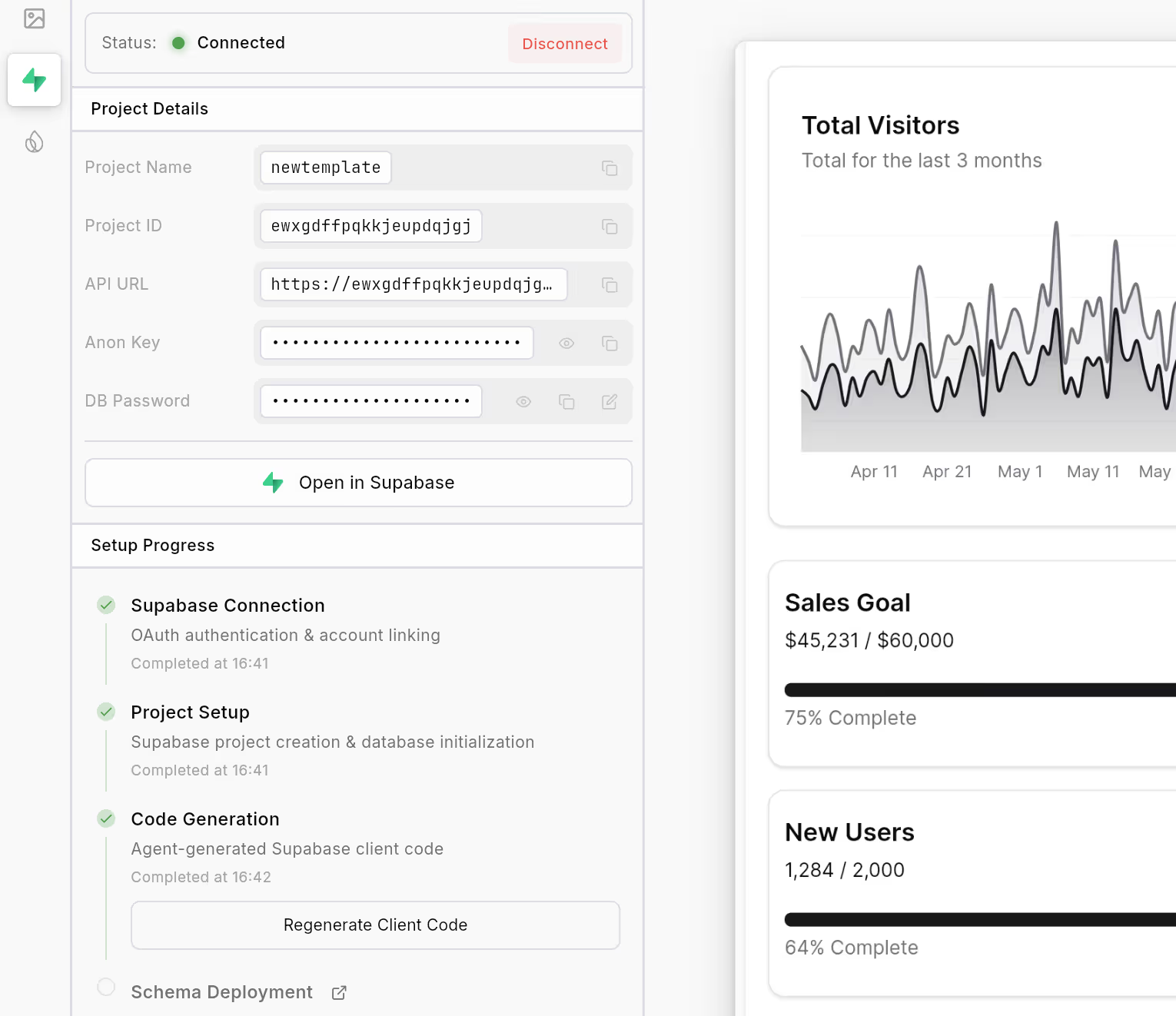
Dashboard showing Supabase project details, setup progress with completed steps, and metrics including total visitors graph, sales goal at 75%, and new users at 64%.Dashboard interface showing Supabase connection status as connected, project details with project name and API URL, setup progress with completed steps for Supabase Connection, Project Setup, and Code Generation, a graph of total visitors over 3 months, and progress bars for sales goal and new users.

Process

How it works

From idea to production in three simple steps

Describe your app

Tell us what you want to build in natural language

Adjust in canvas or code

Ask the agent for changes, visually fine tune
on canvas, or dive into the code

Ship or export

Deploy instantly or export the full Flutter
project

The new way to build apps

Loved by builders • 5 Stars on Product Hunt

I'm beyond words at how impressive Dreamflow is. THIS feels like the future....Well done FlutterFlow team. I can't recall when last I was this impressed (which includes the first time I properly vibe coded with Gemini using the Roo Code VS Code extension). I thought THAT was incredible. This?! #MindBlown

S

Sam

Lead Data Engineer

Tools like DreamFlow are game-changers: go from idea to MVP in minutes with AI. No more excuses for not testing your product in the market.

A

Alberto

Founder

I hear you, I think that the combination of both visual development, AI generation and code is the holy trinity of dev. Something that @DreamflowApp absolutely nailed.

C

Chris

Techie

Pricing

Simple, transparent pricing

Start free, upgrade when you need more

Free

10 Credits

$0

/month

For individuals creating a basic app or testing features.

10 credits to start building

Chat and generate apps

1-click deployment (Web)

Get Started

Hobby

100  Credits

$20

/month

For individuals creating and publishing a single working app.

10x Credits (100 Credits)

Chat and generate apps

1-click deployment (Web,
iOS, Android)

Unlimited private projects

1-click code export

Get Started

Pro

260  Credits

$90

/month

For individuals creating multiple apps or more robust solutions.

500 Credits

Chat and generate apps

1-click deployment (Web,
iOS, Android)

Unlimited private projects

1-click code export

Priority access to premium
models

Git Access

Get Started

Enterprise

Custom

For teams using Dreamflow as a core platform.

Dedicated Support

Onboarding Engagement

Advanced Access Control

Bring Your Own AI Models

SLA & Uptime Guarantees

Private Cloud Deployment

Contact Us

Try Dreamflow now

Get Started